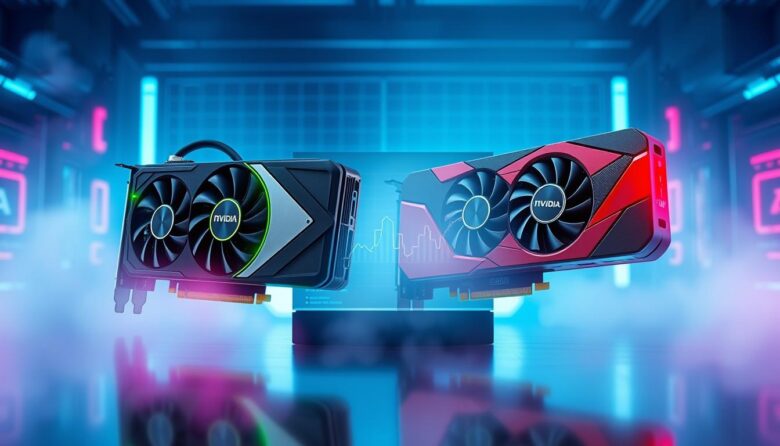
I spent a decade with one ecosystem before I switched in 2025. After 10 years with a single vendor, I moved to a SAPPHIRE Nitro+ RX 9070 XT and I wanted to test the long-term value for myself.
This comparison looks at how these two major brands evolved over the last ten years. I focus on real-world use, driver upkeep, and play time. My goal was to see the clear difference in daily life and maintenance.
The buyer’s view matters most to me. I weigh cost, performance, and how many years a new card will stay useful. Many enthusiasts, like Ty Sherback, stayed loyal for years before trying the competition.
Key Takeaways
- I switched after 10 years to test long-term value firsthand.
- My comparison centers on driver time versus gaming time.
- The difference in user experience can be striking.
- Evaluate brands by years of support and real costs.
- Choose based on how you plan to use the hardware over time.
Understanding the NVIDIA vs AMD Graphics Cards Landscape
I’ve watched the market tighten into two clear leaders, a trend confirmed by LightWave Networks. This rivalry shapes how a computer performs and what buyers expect.
On one side are premium options that chase top-tier performance. On the other are value designs that stretch your budget further.
Price and pricing strategy remain central. A straightforward comparison shows many people weigh cost ahead of peak benchmarks.
- These gpus power gaming rigs and data-driven workflows alike.
- Choice often comes down to performance tiers and long-term value.
- Industry notes stress real-world use, not just synthetic scores.
| Factor | High-end | Value | Buyer impact |
|---|---|---|---|
| Performance | Top single-card throughput | Good midrange fps | Decides lifespan of a build |
| Pricing | Premium launch prices | Competitive MSRP and discounts | Affects upgrade cadence |
| Use cases | AI, pro compute | Gaming, mainstream compute | Matches budget to needs |
Architectural Differences and Performance Capabilities
The internal design of modern silicon decides real-world throughput more than raw specs. I focus on how microarchitecture affects parallel work, ML, and video pipelines.
Historical roots matter. One company began in 1969; another launched in 1993 with a clear computer graphics focus. Those origins shaped how each maker optimizes hardware and components for different workloads.
Parallel Workloads
Modern gpus excel at running many tasks at once. That makes them ideal for video rendering, batch data jobs, and physics sims.
I noted how designs trade single-thread speed for massive thread counts. That trade-off changes sustained performance and thermal behavior in a real build.
AI Acceleration
Today, AI blocks and dedicated tensor hardware are standard across the range. The rtx 5070 highlights top-end power, but midrange offerings still pack serious learning and inference ability.
“Ray tracing and AI acceleration now define high-end performance.”
Comparing components shows each maker tunes cores, memory, and schedulers to favor different types of parallel computing and learning tasks.
Software Ecosystems and Driver Reliability
Smooth updates matter more than raw benchmarks when you use a PC daily.
I track driver rollouts and in-app settings because they shape real-world performance. My day-to-day use proved that timely patches keep play sessions stable.
Practical differences show up in menus, presets, and one-click profiles. I found nvidia gpus tended to install cleanly and ship with game-ready patches.
Software Ecosystem Comparison
Adrenalin and the competing suite both add useful features, but they feel different when you tweak settings. I ran drivers across several titles and noted how each update changed fps and resolution handling.
- My experience with nvidia gpus has generally been smooth, though I hit odd settings quirks when tuning for max fps.
- Driver support timing often favors big releases, which helps keep performance stable for new games.
- When software lacks polish, achieving target resolution and steady fps becomes a manual task.
“Consistent, timely driver support stops whole afternoons from being eaten by troubleshooting.”
| Aspect | Plug-and-play | Customizability | Impact |
|---|---|---|---|
| Driver cadence | Frequent, game-ready | Moderate | Keeps performance current |
| Settings UI | Simple installer | Advanced toggles | Affects tuning time |
| Feature updates | Timely support | Steady improvements | Extends useful life |
Enterprise Deployments and Professional Workloads
Enterprises buy for uptime, not headlines, so long-term support often steers procurement.
I saw LightWave Networks note that most revenue now comes from AI and data center work. That shift matters because professional workloads need sustained performance over time.
Deploying at scale costs more than the sticker price. License fees, software support, and maintenance add to total cost of ownership.
For video rendering and machine learning, a gpu must handle heavy data flows and long runtimes. That pushes teams to choose stacks with tight framework integration.

- Power and pricing drive the budget and cooling design.
- Software support can shorten deployment time and lower interruptions.
- Choice often balances cost, power draw, and long-term support.
“Organizations must weigh total cost, power, and framework support when picking hardware.”
| Factor | Enterprise priority | Impact on deployment | Typical trade-off |
|---|---|---|---|
| Performance | High sustained throughput | Better task completion time | Higher price |
| Software support | Deep framework integration | Faster rollout, fewer patches | Licensing cost |
| Power | Efficiency under load | Cooling and rack density | Higher upfront hardware cost |
| Budget | Total cost of ownership | Procurement and refresh cycles | Longer evaluation time |
Gaming Features and Visual Rendering Technologies
Real-time lighting and upscaling have reshaped how I value a gaming rig. Modern rendering features change both visual fidelity and playtime. I look for tech that lifts frame rates while keeping scenes believable.
Ray Tracing Capabilities
Ray tracing mimics how light bounces in the real world. It adds depth, reflections, and subtle shadows that improve immersion.
For me, the quality of ray tracing affects perceived graphics more than raw fps alone. Enthusiasts will notice major differences in scenes with complex lighting.
Adaptive Sync Technology
Adaptive sync keeps the monitor and gpu output aligned. That prevents tearing and cuts stutter during fast scenes.
When sync is tuned well, the game feels smoother even if fps dips. I value that in long play sessions.
DLSS vs FSR
Upscaling tools like DLSS and FSR boost fps by rendering at a lower internal resolution and reconstructing the frame.
- They trade a tiny hit in detail for much higher fps and better performance at high resolutions.
- Using these features lets you enable stronger settings while keeping smooth gameplay.
“With the right blend of upscaling and sync, you get stunning visuals and steady fps.”
Evaluating Long-Term Value and Pricing
Long-term value starts with a clear look at total ownership, not just the sticker price. I count purchase price, energy draw, driver support, and resale to judge true cost.
Price ranges tell part of the story: the RTX 5090 begins near $1999 while the RX 7900 XTX can be found from $999. That wide range changes upgrade plans and budget timelines.
I found high-end models like the rtx 5070 offer top-tier performance but carry a premium price. For many users, midrange products deliver the best balance of features and long life.
Power efficiency and ray tracing matter more over years than raw fps peaks. Lower power draw reduces operating cost, and stable ray tracing keeps visuals relevant in modern titles.
“A higher upfront cost can pay off if the product keeps pace with software and holds resale value.”
In my view, professionals may find premium hardware gives better long-term value. For gamers on a strict budget, smart midrange choices often score higher on overall value.
Real-World User Experience and Hardware Quirks
My hands-on time taught me that daily quirks matter more than benchmark peaks. Small annoyances like fan curves, power limits that reset after reboot, or odd settings behavior shape how long a system stays enjoyable to use.
Thermal and Noise Performance
Thermals influence sustained performance and power draw. Ty Sherback reported his SAPPHIRE Nitro+ RX 9070 XT stays under 60°C, which ran cooler than his prior RTX 3080. That lower temp helped keep clocks steady during long gaming sessions.
Noise matters too. A quieter card feels premium and reduces fatigue during long play or work periods. Even high-end models like the rtx 5070 can be loud if cooling is tuned for peak frame output over comfort.
“Real-world use often exposes quirks—fan curves that don’t save, or power limits that reset after a reboot.”
- Many users spend time tweaking settings and software to hit a target resolution and stable fps.
- Performance monitoring tools provide data on frame timing and thermal throttling.
- Managing fan profiles and power targets can improve both noise and long-term value.
| Issue | What I saw | Practical fix |
|---|---|---|
| High temp spikes | Throttle during long runs | Raise fan curve, improve case airflow |
| Fan profiles reset | Settings lost after reboot | Use vendor software with profile save or BIOS tweak |
| Inconsistent fps | Frame drops in complex scenes | Enable monitoring, adjust power/quality balance |
Final Verdict on Choosing Your Next GPU
I recommend picking a product that fits your needs, not a headline spec. If you want raw power for high fps and cutting-edge features, a top-tier option may be right. If budget and long-term value matter more, midrange models often win on cost per frame and useful years.
The real difference now comes from software features, ray tracing quality, and driver support. I tested both ecosystems and found both offer strong value when priced fairly.
My final take: compare price, features, and support for your favorite games. Match settings to your needs and you’ll get the best choice for long-term value.
FAQ
Which brand gives the best long-term value for a gaming PC?
I look at total cost, driver support, and feature updates. A brand that offers consistent driver updates, good resale value, and strong performance per dollar typically wins on long-term value. Consider your budget, desired resolutions, and whether features like ray tracing or AI upscaling matter to you.
How do architectural differences affect real-world performance?
Architecture determines efficiency in rasterization, compute, and ray-tracing workloads. One design may excel at parallel compute and AI tasks, while another prioritizes raw frame rates in classic rasterized games. I recommend checking benchmarks for the specific models and games you play rather than relying on specs alone.
Are there meaningful differences in handling parallel workloads?
Yes. Some chips handle many simultaneous threads and heavy compute better, which benefits creative apps and simulation. If you use video editing, 3D rendering, or GPU-accelerated ML, pick a model with proven strong compute throughput and memory bandwidth for those tasks.
Is AI acceleration worth it for gamers and creators?
AI features help with upscaling, denoising, and speeding creative workflows. For gamers who want higher frame rates at high resolution, hardware-based AI upscaling can be a big win. For creators, AI acceleration can cut rendering and editing times, so it’s valuable if your software supports it.
How do the software ecosystems compare for reliability and features?
Driver quality and software features vary by vendor. One ecosystem focuses on advanced developer tools and deep integration with professional apps; the other emphasizes open standards and broad compatibility. I suggest reading recent driver release notes and checking community feedback for stability in the apps you use.
What should I consider for enterprise and professional deployments?
For business use, prioritize certified drivers, long-term support, and ISV certifications for apps like Autodesk, Adobe, or CAD tools. Warranty options, management features, and multi-GPU scaling are also important for professional workloads.
How do ray-tracing capabilities compare for modern titles?
Ray tracing quality depends on dedicated hardware and how well game engines implement it. Hardware-accelerated RT cores produce more realistic lighting and reflections but add performance cost. I look for cards that balance RT performance with available upscaling to keep playable frame rates.
What about adaptive sync and monitor compatibility?
Adaptive sync tech reduces tearing and stutter, but implementation can differ between GPUs and monitors. Most modern displays and GPUs support variable refresh rates; check support for G-Sync Compatible or FreeSync and test for any flicker or input lag in your setup.
Which upscaling solution should I use: DLSS or FSR?
Both upscaling methods boost frame rates by rendering at lower resolutions and reconstructing detail. One tends to offer higher-quality upscaling with AI-driven temporal methods, while the other provides wide compatibility across hardware. Choose based on the games you play and the image quality you prefer.
How do price and long-term value trend over the product cycle?
Prices drop as new generations arrive, and resale values vary by model popularity. I track historical price curves and consider features like power efficiency and driver lifespan when estimating long-term value. Buying a slightly older high-end model can sometimes outvalue a new midrange release.
What real-world hardware quirks should I expect?
Expect variations in thermals, noise, and power draw across board partners and coolers. Some models run hotter or louder under load, while others prioritize silence. I check third-party thermal and acoustic tests for the exact model before buying.
How important are thermal and noise characteristics?
Very. Thermal throttling can reduce sustained performance, and high noise can be distracting in a living room or studio. Look for cards with robust cooling, good airflow in your case, and reviews that measure temperature and decibel levels under load.
What’s the best way to choose my next GPU based on my needs?
I match my target resolution, frame-rate goals, and budget first. Then I compare real-world benchmarks in the games and apps I use. Factor in power supply, case size, and desired features like ray tracing or AI upscaling. Buying a slightly stronger card than your immediate needs often extends usable life.

Ethan is a lead GPU reviewer and hardware analyst with a passion for pushing silicon to its absolute limits. With a background in computer engineering, he spends his days building custom test benches, analyzing frame-time graphs, and breaking down complex GPU architectures. When he’s not benchmarking the latest NVIDIA and AMD releases for VN Pixel, he is likely tweaking his custom-loop water-cooling setup to achieve the perfect overclock.