I built this guide to help you sort through specs, brands, and benchmarks without the jargon. I keep things practical and clear so you can match a graphics card to your budget and monitor resolution.
My goal is to help you understand how performance and power needs affect real-world gaming and content work. I explain how to balance CPU, memory, and case size with a card that fits.
Whether you plan a high-end rig or a thrifty build, I show steps to avoid common mistakes. You’ll learn which specs matter most and how to spot useful reviews. This guide makes buying and upgrading simple and confident.
Key Takeaways
- Match card power to your monitor resolution for best performance.
- Balance budget with long-term value to avoid early upgrades.
- Look at real-world benchmarks, not just peak specs.
- Consider cooling, size, and PSU needs before you buy.
- I simplify terms so you can pick with confidence.
Understanding the Current Graphics Card Market
Market turbulence has blurred the line between midrange and high-end graphics offerings.
I track supply and price shifts closely, and right now volatility rules. Increased AI wafer demand at global fabs has pushed many models higher and tightened stock across brands.
Market Volatility
Short supply and sudden demand have made it harder to predict value. A model that once fit a midrange budget can now cost as much as a premium card.
“The RTX 5060 Ti 16GB is often selling around what the RTX 5070 used to list for.”
Price Trends
Street prices have shifted fast. For example, the RX 9060 XT 16GB rose roughly $100 in just a few months.
- Expect rapid change in prices and availability.
- Compare real-world benchmarks before you buy.
- Factor in supply constraints when judging long-term value.
At this time, I recommend patience and careful comparison. That helps protect budget-conscious gamers from overpaying for less performance.
Essential Factors for Choosing the Right GPU
Start with what you play and how you play it. Prioritize resolution and refresh rate first, since 1080p esports needs far less horsepower than 4K AAA titles. That choice guides which graphics card will give you the best performance for your budget.
Next, check physical fit. Measure your case and compare it to card length, cooler height, and slot width. A large card can block airflow or conflict with other components.
Power and efficiency matter. Higher-end cards draw more from your PSU and raise system temps. Confirm your power supply has the needed connectors and a safety margin for peak loads.
VRAM affects texture quality and future-proofing. Modern graphics cards often need 8GB+ for high settings at 1440p and 10–16GB for 4K. Balance VRAM against cost to avoid overspending on features you won’t use.
- Match performance targets to your display and games.
- Confirm card dimensions and cooling clearance.
- Verify PSU capacity and connector types.
I recommend weighing these specs together, not in isolation. That way you build a balanced system that lasts longer and costs less over time.
Matching Your Hardware to Your Monitor
A display’s resolution and refresh rate define how much graphics muscle you actually need.
Resolution and Refresh Rates
Match your graphics card to your monitor’s resolution to get useful results. Pushing pixels at 4K needs far more compute than standard 1080 gaming.
If you use a high-refresh panel, a capable gpu is required to hold high frame rates. That keeps gameplay smooth and input responsive.
Check your monitor’s max resolution and refresh rate before you buy. There is no sense paying for extra performance your display cannot show.
| Monitor Target | Recommended Card Class | Typical Goal |
|---|---|---|
| 1080p / 60–144Hz | Entry to midrange graphics card | Stable 60–144 frame rates |
| 1440p / 60–165Hz | Midrange to high-mid graphics cards | Consistent 60–120+ frame rates for 1440 gaming |
| 4K / 60Hz+ | High-end cards or upscaling tech | Target 60 frames+ with quality upscaling |
For 1440 gaming, pick a card that can hit your target frame rates consistently. Align your hardware so your monitor and cards work together, not against each other.
Why VRAM Capacity Matters for Modern Gaming
VRAM size now shapes real-world play more than ever. I’ve seen many titles push texture pools and lighting tech so far that small memory buffers cause stutters and long load times.
For smooth 1440p or 4K play, aim for at least 16GB of vram. That amount lets you take full advantage of features like DLSS 4 and MFG without running out of video memory mid-session.
Insufficient memory can drop frame rates and cause hitches, even on a powerful gpu. The GeForce RTX 50-series shows that mid-range gpus gain a lot from larger memory pools when handling complex textures and ray-traced lights.
- Prioritize cards with ample memory when shopping for a new graphics card.
- More vram helps future-proof against texture and asset growth in new games.
- Ignore memory at your own risk: expensive cards may still struggle without enough video memory.
My rule: match vram to your target resolutions and settings. That keeps performance steady and extends the useful life of your card.
Evaluating Ray Tracing Performance
Ray tracing has shifted from a visual novelty into a core test of modern card capability.
Run specific ray tracing benchmarks to see how a graphics card holds up under complex lighting. My legacy test suite runs 21 games, and that breadth shows real gaps in tracing performance between vendors.
Ray Tracing Benchmarks
Look for results that show sustained frame rates, not just peak screenshots. A card may render impressive frames for short scenes but fall apart in long, path-traced levels.
GeForce RTX cards often lead in these tests thanks to dedicated hardware and software optimizations. That advantage shows up clearly in demanding titles like Cyberpunk 2077.
Path Tracing Demands
Path tracing multiplies workload and raises memory pressure. If a card lacks enough vram and raw compute, frame rates dip and stutters appear in heavier scenes.
- I recommend weighing traced-frame results against raster results for a full view of performance.
- Check memory usage in benchmarks; games with many advanced features consume more memory.
- Consider cards that balance compute with ample vram for smoother play in modern games.
“Our 21-game legacy suite exposes wide variance in path tracing scenarios.”
The Role of Upscaling and Frame Generation
Modern upscaling tools let you push visuals higher while keeping frame rates playable.
I use DLSS and similar tech to raise perceived detail without huge GPU cost. These features boost graphics fidelity and lift raw frame counts. That makes high settings workable on midrange cards.
Frame generation can double smoothness in many titles when your hardware supports it. Newer gpus with dedicated tensor or AI units handle this best. That means fewer stutters and lower input lag in fast-paced gaming.
- Upscaling gives a big performance gain with little quality loss.
- Frame generation adds temporal frames for smoother motion.
- Check which features your card supports before buying.
| Method | Best for | Typical frame uplift |
|---|---|---|
| DLSS / AI upscaling | High-detail games | 30–60%+ |
| FidelityFX / spatial upscaling | Balanced quality | 20–40% |
| Frame generation | Fast-action titles | 40–100% (perceived) |
“Software features bridge hardware gaps and extend a card’s lifespan.”
In short, these tools let me get more performance from older hardware. They make buying decisions easier and keep games playable longer.
Power Supply and Case Compatibility Requirements
A compact case or a roomy full tower will change which graphics card fits and how it runs.
I check case clearance first. High-end cards can exceed 320mm in length and block airflow if you cram them into tight cavities. Measure slot-to-front distances and compare aftermarket coolers before you buy.
Power Connector Standards
Confirm PSU wattage and connectors. Some modern high-performance cards need 16-pin cables and sizable amperage. For example, the GeForce RTX 5090 averages about 394W under load, so your power supply must cope with sustained draws and spikes.
- Make sure your psu has the correct 16-pin or adapter options.
- Pick a power supply with headroom—aim for 20–30% overhead above peak system draw.
- Verify case airflow and fan placement to keep temperatures down during long gaming sessions.
| Item | Minimum Recommendation | Why it matters |
|---|---|---|
| Case clearance | 330 mm+ for many high-end cards | Prevents interference with drives and improves airflow |
| PSU wattage | 750 W+ (for systems with a 394W card) | Handles sustained load and transient spikes |
| Power connectors | 16-pin native or approved adapter | Ensures stable power delivery to the card |
| Case airflow | Positive flow with 2+ intake and 1+ exhaust fans | Maintains performance and lowers thermal throttling |
Comparing Nvidia and AMD Architectures
I look at how silicon design and software shape real-world results. Nvidia often leads in ray tracing and AI-driven frame tools, while AMD traditionally offers strong raw raster performance for the price.
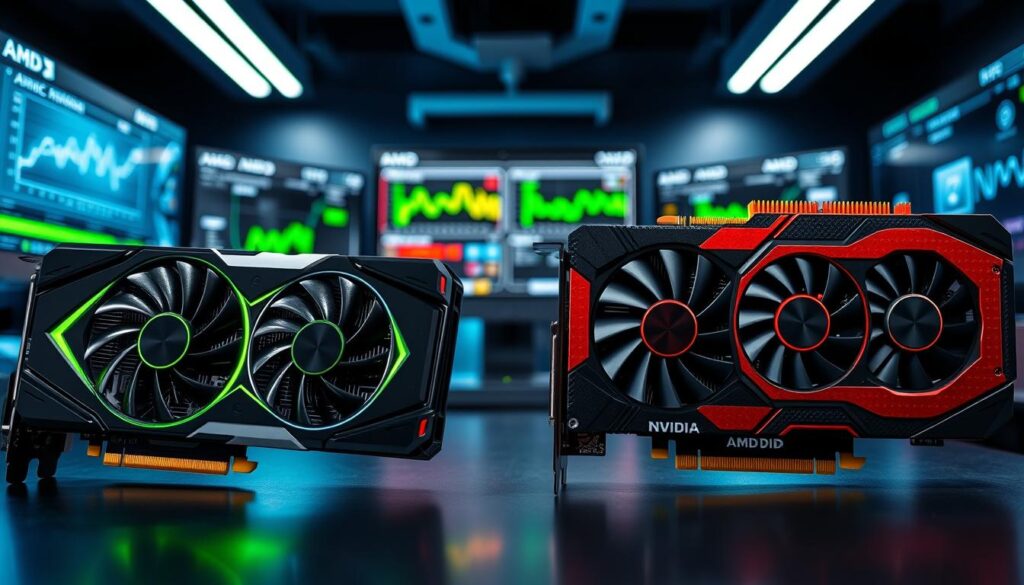
GeForce RTX cards bring a mature software stack and features like DLSS and advanced driver tuning. That software advantage shows up in sustained ray-traced scenes and frame generation.
AMD Radeon and its RDNA 4 architecture have closed gaps in both AI and trace quality. For many users, these cards deliver better value per dollar in plain raster workloads.
Which vendor you pick often depends on feature preference. If you want top ray tracing and DLSS, lean Nvidia. If you chase raw performance per cost, AMD makes sense.
- I weigh benchmarking, driver stability, and upscaling options when I compare cards.
- Match a graphics card to your performance targets and gaming habits before you decide.
“Both companies produce excellent graphics cards; choose for the workloads you run.”
The Place of Intel Arc in Today’s Market
Intel Arc has carved a clear budget niche among modern graphics options. I tested the Intel Arc B570 at a current price of $249 and found it gives solid entry-level performance for gamers who don’t need top-tier frame rates.
The card runs well at medium settings in many titles. It competes against older used cards from GeForce RTX and AMD Radeon families on price and value. If you want playable settings without high prices, this is a sensible pick.
That said, Intel Arc still lacks some mature software features seen in competing gpus. Driver polish and feature depth are improving, though. As Intel refines support, these cards should become more attractive over time.
Bottom line: For a tight budget, Intel Arc offers a worthy alternative to pricier graphics cards today. I recommend it for builders who want cost savings now and potential gains as drivers mature.
| Model | Role | Price/value |
|---|---|---|
| Intel Arc B570 | Budget entry | $249 — good for medium settings |
| Older GeForce RTX | Used midrange | Varies — can beat new prices |
| Used AMD Radeon | Value alternative | Varies — strong raster performance |
“Intel Arc gives a practical path to gaming without a premium price.”
Why Multi-GPU Setups Are No Longer Viable
Multi-card setups once promised big gains, but today they usually bring headaches and wasted time. Modern games and drivers rarely support SLI or CrossFire, so linking two graphics cards often gives little real-world benefit.
I advise against trying to pair cards unless you have a very specific pro workflow that lists multi-GPU support. For most gamers, that effort turns into poor performance and driver trouble.
Spend your budget on a single, powerful graphics card instead. One high-quality card delivers steadier frame rates, better driver updates, and far fewer compatibility headaches than two older cards cobbled together.
Industry support has shifted away from multi-GPU, which means your system will be more stable and efficient with one modern gpu installed. If you want the best gaming experience, focus on raw performance from a single card you can trust.
“A single, strong card beats two weakly supported cards in almost every modern title.”
Best Enthusiast Graphics Card Picks
If you demand top-tier frame rates and quality, enthusiast graphics cards are where you step up.
My pick for many serious builders is the GeForce RTX 5070 Ti. At $1069, it balances raw performance, ray-trace headroom, and modern features like advanced upscaling and frame generation. This card shines in 1440 gaming and scales well toward 4K.
Another strong option is the AMD Radeon RX 9070 XT. It offers 16GB of VRAM, which helps with texture-heavy games and future-proofing at high settings. For gamers focused on steady fps at 1440, this card delivers excellent value.
When you step up to these enthusiast gpus, you gain features that handle the most demanding games and maintain high fps. Your final choice depends on budget, software features, and whether you prefer GeForce RTX tooling or AMD Radeon value.
| Model | Strength | Best for |
|---|---|---|
| GeForce RTX 5070 Ti | Strong ray tracing & AI features | 1440 gaming, scalable to 4K — $1069 |
| AMD Radeon RX 9070 XT | 16GB VRAM, strong raster performance | High-detail 1440 gaming and future-proofing |
| Enthusiast class (general) | Higher power and feature set | Premium 1080 gaming, 1440 high fps, 4K quality |
“These cards are built for users who refuse to compromise on performance and features.”
Top Midrange Options for Value Seekers
For builders who want solid frame rates without a sky-high bill, midrange cards hit the sweet spot.
The Radeon RX 9070, at $629, tops my midrange list. It delivers strong graphics performance for both 1080 gaming and 1440p play.
I see this card as a powerful gpu that balances vram, power draw, and steady fps in modern games.
If you need to save money, stepping down to this tier still gives plenty of performance for most titles.
- Good balance of vram and efficiency for lasting value.
- Performance rivals pricier GeForce RTX models in many raster workloads.
- Strong 1080 gaming results and confident 1440p performance without extreme power needs.
My take: pick a midrange graphics card like the RX 9070 when you want longevity and value. It keeps your build balanced and your budget intact while letting you play current games well.
Avoiding Common Pitfalls When Buying
A few simple checks stop a promising build from becoming a frustrating project.
I always start by checking cooling first. A poorly cooled graphics card will throttle performance during long gaming sessions. That reduces sustained frame rates and shortens component life.
Look at cooler design, fan count, and airflow needs. If a card runs hot in reviews, budget for better case fans or pick a different model.
Watch street prices against MSRP. Retailers sometimes hike costs during demand spikes. I compare multiple listings and wait if prices seem inflated.
Buying used can save money, but test first. Used cards may have damaged cooling or hidden issues. If you must buy secondhand, insist on a power-on check and a short stress run.
- Research thermal performance for GeForce RTX and AMD Radeon models before you commit.
- Factor in PSU and case cooling needs so you don’t bottleneck a strong card.
- Read recent reviews and long-session benchmarks to verify sustained performance.
| Pitfall | What to check | Quick fix |
|---|---|---|
| Poor cooling | Thermal tests, fan layout, heatsink size | Choose a cooler model or add case fans |
| Inflated prices | Street price vs. MSRP across retailers | Wait or set price alerts |
| Used-card risk | Power-on test, artifact checks | Buy from trusted sellers or get warranty |
| Wrong fit | Card length, slot clearance, PSU connectors | Measure case and confirm connectors |
“Take a little time now to check cooling and prices; it saves money and frustration later.”
How to Spot Real Deals Versus Markups
Smart shopping means separating true discounts from sales that just look deep. I rely on data and a little patience to tell the difference.
Track price history over weeks to see if a drop is real. Many cards briefly dip during promotions, then return to higher prices the next day.
Always compare a listed price to the official MSRP before you buy. Retailers often inflate a sticker price to make a sale look dramatic.
- Check multiple video retailers for GeForce RTX and AMD Radeon listings.
- Watch reviews and performance benchmarks to ensure value matches speed.
- Set alerts and wait for a genuine markdown instead of rushing into a flashy offer.
Taking time now can save you money and frustration later. I wait for a stable price trend rather than a single flash sale.
“A steady fall in prices over weeks beats a one-day ‘deal’ every time.”
Balancing Your CPU and Graphics Budget
Your system’s frame rates depend as much on the processor as they do on a graphics card. I see builders ruin performance by pairing a top-tier gpu with a weak CPU.
Spend smart: allocate funds so your CPU and graphics card are matched. That prevents one component from bottlenecking overall performance and keeps fps steady across games.
If you pour most of your budget into cards with massive vram and memory, your processor may not keep up. The result is lower sustained frame rates and a poorer gaming feel despite high raw GPU numbers.
Also remember power needs. Higher-end hardware pulls more power, so check your PSU before you upgrade. A balanced system delivers the best real-world performance and longer life for your components.
| Spend Split (typical) | CPU Class | Why it matters |
|---|---|---|
| 50/50 | High-mid to high | Balanced performance for 1440 gaming and high fps |
| 40/60 (more on GPU) | Mid | Good for 1080 high-refresh or upscaling tech |
| 60/40 (more on CPU) | High | Best for CPU-heavy titles and streaming while gaming |
Conclusion
, I’ll end with a short checklist to keep your build sensible and future-ready.
Focus on measured performance and clear goals. Match a gpu to your monitor, PSU, and case so you get steady fps without wasting money.
Consider features like ray tracing and tracing support if visuals matter. Balance those with raw speed and driver maturity for long-term value.
Watch prices and wait for a good offer. Compare several cards and read sustained-load tests, not just glossy numbers.
This guide aims to make buying less stressful so you can enjoy better gaming for years. I hope it helps you pick with confidence.
FAQ
What key specs should I check when picking a graphics card for gaming?
I always look at GPU performance, VRAM capacity, and memory bandwidth first. Those affect frame rates and how well games run at high resolutions. I also weigh power draw, cooling design, and features like ray tracing and upscaling (DLSS or FSR) to match my desired resolution and refresh rate.
How much VRAM do I need for 1080p, 1440p, and 4K gaming?
For 1080p gaming, 6–8 GB usually suffices for most titles. For 1440p, I recommend 8–12 GB to avoid stuttering with high textures. For 4K, I aim for 10–16 GB or more, especially if I use ray tracing or high-resolution texture packs.
Does ray tracing demand a major performance hit?
Yes, ray tracing can lower frame rates significantly on many cards. I check ray tracing benchmarks and consider enabling DLSS or AMD FSR/Intel XeSS to regain frames while keeping better visuals.
Should I prioritize raw fps or image quality features?
It depends on my goals. If I chase competitive frame rates, I prioritize fps and higher refresh monitors. If I prefer visuals, I boost settings and enable ray tracing with upscaling to keep playable performance.
How important is power supply compatibility for a new card?
Very important. I verify recommended PSU wattage, power connector types (6/8-pin or PCIe 5.0), and ensure my case has airflow and physical space for the card. A quality PSU prevents instability and protects components.
Can my CPU bottleneck a high-end graphics card?
Yes. I balance CPU and GPU choices so neither severely limits the other. For 1440p and 4K, the GPU tends to matter more, but at 1080p a weak CPU can cap fps. I match hardware to my target resolution and game types.
Are multi-GPU setups worth it today?
No. I avoid SLI or CrossFire for new builds. Modern drivers and games rarely support multi-GPU well, and single powerful cards give better consistency, cooling, and fewer compatibility headaches.
How do Nvidia, AMD, and Intel compare for gaming features?
Nvidia leads in ray tracing performance and DLSS upscaling, AMD offers strong raster performance and FSR compatibility, and Intel Arc provides competitive features at budget and midrange tiers with XeSS upscaling. I choose based on price, desired features, and game support.
What role does upscaling and frame generation play?
Upscaling (DLSS, FSR, XeSS) boosts fps by rendering at lower internal resolution and sharpening output; frame generation can interpolate frames to increase perceived smoothness. I enable these when I want higher fps without sacrificing too much image quality.
How can I tell a real deal from inflated pricing?
I track historical price trends and retailer reputations, compare MSRP to street prices, and watch for manufacturer bundles or seasonal discounts. Sudden low prices on used cards require extra caution about condition and warranty.
What cooling should I look for on a graphics card?
I prefer dual- or triple-fan designs with a good shroud and heat pipes for balanced cooling and quieter operation. Vapor chambers and robust thermal pads help under sustained loads, especially for long gaming sessions.
Is PCIe version important when choosing a card?
PCIe version has minor impact for most current cards. I make sure my motherboard supports at least PCIe 3.0 x16; PCIe 4.0/5.0 can offer small gains, but they rarely justify an entire system upgrade on their own.
What should I consider when buying a used graphics card?
I check for warranty transferability, physical wear, coil whine, and mining usage signs. I prefer cards sold with original receipt and test results. Price should reflect potential remaining lifespan and cooling condition.
How do I match a GPU to my monitor’s resolution and refresh rate?
I pick a card that can sustain target fps at my monitor’s native resolution. For 1080p 144Hz, I need higher fps-oriented GPUs; for 1440p 144Hz or 4K 60Hz, I choose more powerful cards with higher VRAM and bandwidth to hit stable frame rates.
Which midrange cards offer the best value right now?
I look for models that balance price, performance, and features—solid 1440p capability, decent ray tracing, and efficient power draw. Specific models change with the market, so I cross-check recent benchmarks and price trends before buying.
How do architecture differences affect long-term value?
Newer architectures bring efficiency, feature support, and better driver optimizations. I favor recent GPU families from Nvidia or AMD to ensure longer driver support, better upscaling tech, and competitive ray tracing performance.

Ethan is a lead GPU reviewer and hardware analyst with a passion for pushing silicon to its absolute limits. With a background in computer engineering, he spends his days building custom test benches, analyzing frame-time graphs, and breaking down complex GPU architectures. When he’s not benchmarking the latest NVIDIA and AMD releases for VN Pixel, he is likely tweaking his custom-loop water-cooling setup to achieve the perfect overclock.